Purpose
This knowledge base explains an issue where Seclore‑protected image files (for example JPG, PNG) fail to open, and the user receives a conversion error pop‑up. The KB details the observed error messages, explains the root cause, and provides guidance on how to resolve the issue.
Symptoms
When a user attempts to open a protected image file, the file does not open and the following pop‑up is displayed while files open normally in Native format:
Sorry, cannot open this file. An error occurred during conversion. Please contact your administrator.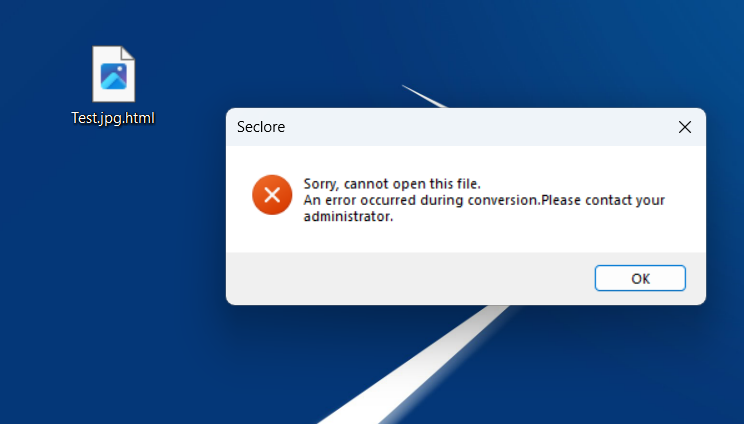
Observed Log Errors
During investigation, the following errors are observed in Desktop Client logs
(customer‑specific values replaced with placeholders):
ERROR : FSFileWrapperManager.cpp(119) : Error -9000009 : Failed while unwrapping file C:\Users\<USER_NAME>\Desktop\Test.jpg.html
to \\<FILE_SERVER>\<SHARE>\<USER_HOME>\Documents\Seclore Files\<SESSION_ID>\Test.jpg

ERROR : FSDCHTMLInternal.cpp(431) : Error '-9000009' while converting HTML Wrapped file 'C:\Users\<USER_NAME>\Desktop\Test.jpg.html' to target file '\\<FILE_SERVER>\<SHARE>\<USER_HOME>\Documents\Seclore Files\<SESSION_ID>\Test.jpg'

ERROR : HTMLFileLauncher.cpp(80) :
Failed to Convert HTML file to FS format. Error(-14)
Problem Description
Seclore protects image files by HTML wrapping them. When a protected image is opened:
The image file is first unwrapped from its HTML container
A temporary unprotected copy of the image is created locally
This temporary file is stored under:
<Documents>\Seclore Files\If the Desktop Client fails to create or write this temporary file, the conversion process fails and the image cannot be opened.
Root Cause Analysis (RCA)
The root cause is that the user’s Documents folder is redirected or mapped to a non‑default location, typically a network path, instead of the default user profile location:
C:\Users\<UserName>\DocumentsWhen the Documents folder is mapped to a network location (for example, a file server or other path):
- The Seclore Desktop Client attempts to create the temporary unprotected image file on the remote server
- The server may not allow image file extensions
- The server may restrict executable or temporary content
- There may be connectivity, latency, or permission issues
- The path may not support the rapid create/modify operations required during conversion
Recommended Resolutions
Keep the Documents folder local
Modify the network share policy
- If Documents redirection is mandatory, ensure the network share allows image file extensions (JPG, PNG, etc.)
- Convert files to native (non‑HTML) format prior to usage
Ref. Cases: 106438